Quick answer
The best STEM apps for kids are the ones that make a child build, test or wonder, not just tap. For most families a strong free set is ScratchJr or Scratch for coding, Khan Academy Kids or Khan Academy for maths, the NASA app for space, and one hands-on engineering app, chosen by age.
- Ages 5 to 7: ScratchJr, Khan Academy Kids, PBS KIDS Games, Simple Machines by Tinybop.
- Ages 8 to 10: Scratch, Lightbot, Prodigy Math, Star Walk Kids or the NASA app.
- Ages 11 to 14: Scratch, Swift Playgrounds, Hopscotch, Khan Academy.
- Free: Scratch, ScratchJr, Khan Academy, Khan Academy Kids, PBS KIDS Games, the NASA app and CodeAI (formerly Code.org).
Search for the best STEM apps for kids and you will mostly find lists of toys, or round-ups that have not been updated in years. Apps get renamed, go behind subscriptions or stop being updated, and those lists rarely say so.
So we did it the slow way. Every app below was checked on its official website or app store listing in October 2026: what it actually does, who it is made for, and whether it is free or paid. We sorted them two ways, by age band and by the four letters of STEM, because a seven-year-old who loves space needs something different from a twelve-year-old who wants to make a game.
One disclosure up front: Osmo is our app. It appears once, in the science section, as the "science and technology news" piece of a STEM routine. It is not a coding or maths app and we will not pretend it is.
How we chose. Good STEM learning apps for kids do at least one of three things. They let a child make something (a program, a machine, a model), test an idea and see what happens, or feed real curiosity about how the world works. Apps that are only multiple-choice drills with a cartoon on top did not make the cut.
We also checked four practical things for each app:
- Age fit: the age the maker states, not a guess.
- Cost: free, free with paid extras, one-time purchase or subscription.
- Freshness: when the listing was last updated. A few classics are old but still useful, and we say so.
- Who makes it: several of the best options come from nonprofits and public institutions.
Best STEM apps for kids at a glance
| App | STEM area | Made for | Cost |
|---|---|---|---|
| ScratchJr | Technology (coding) | Ages 5 to 7 | Free |
| Scratch | Technology (coding) | Designed for ages 8 to 16 | Free |
| Lightbot: Code Hour | Technology (logic) | All ages, first-time coders | Free, no in-app purchases |
| Tynker | Technology (coding) | Ages 5 to 18 | Free start, paid plans |
| Hopscotch | Technology (coding) | Listed as ages 9 to 11 | Free, optional Pro subscription |
| Swift Playgrounds | Technology (coding) | Beginners, iPad and Mac | Free |
| Star Walk Kids | Science (space) | Listed as ages 6 to 8 | Free, paid option to remove ads |
| NASA app | Science (space) | All ages | Free |
| Toca Lab: Elements | Science (chemistry play) | Young children | Part of the Toca Boca Jr bundle |
| Simple Machines by Tinybop | Engineering | Listed as ages 6 to 8 | One-time purchase ($2.99 in the US) |
| Khan Academy Kids | Maths and early literacy | Ages 2 to 8 | Free, no ads |
| Khan Academy | Maths and science | K to 12 (Class 1 to 12) | Free |
| Kahoot! Algebra by DragonBox | Maths (algebra) | From about age 5 | Needs a Kahoot! Kids subscription |
| Prodigy Math | Maths | Grades 1 to 8 | Free, optional membership |
| PBS KIDS Games | Mixed | Ages 2 to 8 | Free |
| Osmo (ours) | Science and tech news | Ages about 5 to 14 | Free daily edition, optional Plus |
Science apps: space, chemistry and real discoveries
Star Walk Kids: Astronomy Game
A children's version of the Star Walk sky app, from Vito Technology. Kids explore the solar system through short quests, narrated facts, cartoons and a simple planetarium, with quick knowledge checks. The App Store lists it as free and "Made for Ages 6 to 8", with a small in-app purchase to remove ads, and the developer states it collects no data. Note that its last listed update was in 2021.
NASA app
NASA's own app is free and brings together NASA images, mission news, podcasts, augmented reality experiences and NASA+ video, with no subscription required. It is not designed for children, so it works best as a shared app: look up tonight's mission news together, or watch a launch replay.
Toca Lab: Elements
A playful lab from Toca Boca where children meet all 118 elements of the periodic table and experiment with lab tools. It is play, not a chemistry course. Toca Boca now lists it as part of its Toca Boca Jr collection, so check your store for how it is sold in your region.
Osmo: the science and tech news piece (our app)
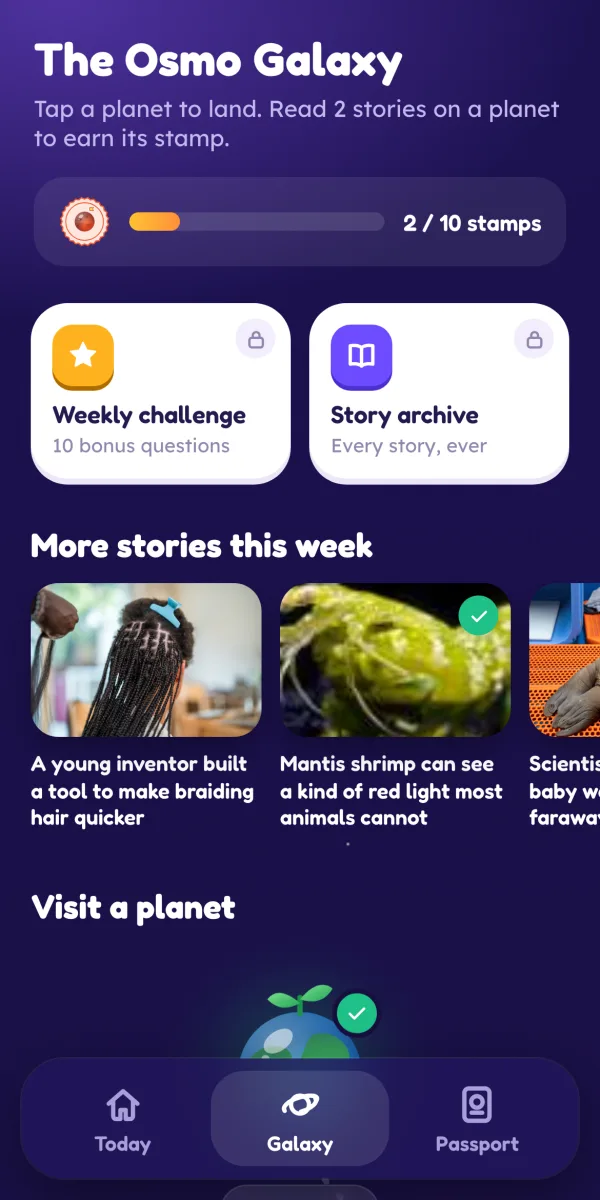
Most STEM apps teach skills. What they rarely do is show children that science is happening right now, to real people. That is the gap Osmo fills. Every day there is a short edition of five stories from real science and technology publishers such as NASA, ESA, ScienceDaily and MIT News, never social media, and each story credits and links its source.
AI rewrites each story at three reading levels using only facts from the original, and a person on our team approves every story before children see it. Here is a real example. A Grades 3 to 5 reader saw this about a mission to a moon of Mars:
"A spacecraft called MMX is about to launch on a rocket from Japan. It is heading to Phobos, one of the two small moons of Mars. MMX will collect a sample of Phobos and carry it all the way back to Earth."
Then came a three-question quiz, a "big word" (sample) and a simple activity: draw Mars with its two moons and label them. It takes minutes, and then it is done. Osmo works in any browser today, and our Android app is coming to Google Play. (We are a news app made by Neobound AI in India, not connected to any similarly named play kit.)
Technology and coding apps for kids
ScratchJr (ages 5 to 7)
Free from the nonprofit Scratch Foundation. Children snap picture blocks together to make characters move, jump, talk and sing, building their own stories and games. It needs no reading of code, which is why it suits early readers. It runs on iPad and, according to its parent and teacher guide, on Android tablets of 7 inches or larger and on Chromebooks that can install Google Play apps.
Scratch (ages 8 to 16)
The natural next step. Scratch says it is "designed especially for ages 8 to 16", is free of charge, and is used in more than 150 countries in more than 40 languages. Children build interactive projects and can share them with an online community. For younger children, sit with them while they explore shared projects.
Lightbot: Code Hour
A puzzle game where you guide a robot with commands to light up tiles, quietly teaching procedures and loops. The free Code Hour version has 20 levels and no in-app purchases. It is an old app (last updated in 2016) but still listed, and it is a good "is my child into this?" test before you pay for anything.
Tynker (ages 5 to 18)
Tynker calls itself a coding platform for ages 5 to 18, with Tynker Junior for ages 5 to 7. You can start free, and full access uses quarterly, yearly or lifetime plans covering up to three children. When we checked, the Indian pricing page showed a 40% promotion with a yearly plan of Rs.5,219.40; promotions change, so check before buying.
Hopscotch
A visual coding app where kids make games, art and stories and publish them to a moderated community. The App Store labels it "Made for Ages 9 to 11". It is free to download with an optional Hopscotch Pro subscription ($9.99 a month or $79.99 a year in the US listing, with a 7-day trial).
Swift Playgrounds
Apple's free app for iPad and Mac teaches real Swift code through guided puzzles and lets learners build apps. Best for older children and young teens who are ready to type code.
CodeAI (formerly Code.org)
Code.org renamed itself CodeAI in June 2026 and says it will keep its curriculum, tools and activities free. Its Hour of Code event has become the Hour of AI. It is a browser-based option for families without a tablet.
Engineering apps: build, break, rebuild
Engineering is the thinnest part of most STEM app lists, and honestly it should be: engineering is best learned with hands, tape and cardboard. One app does it particularly well for younger children.
Simple Machines by Tinybop
Children experiment with six simple machines: levers, pulleys, inclined planes, wedges, wheels and axles, and screws. They explore force and motion by doing things like knocking down a castle or sending satellites into orbit. It is a one-time purchase ($2.99 in the US listing), made for iPad, labelled "Made for Ages 6 to 8", with vocabulary labels in more than 40 languages.
Coding apps count as engineering too, in the sense that matters: plan, build, test, fix. When a Scratch project breaks, ask "what did you expect to happen, and what happened instead?" That one question is the engineering design process.
Maths apps that build real number sense
Khan Academy Kids (ages 2 to 8)
From the nonprofit Khan Academy: "100% free, with no ads or subscriptions." It covers early maths, reading and social-emotional skills through games, books and lessons.
Khan Academy (Class 1 to 12)
Free courses in maths, science and computing from kindergarten through early college. Ideal for practising a topic from school, from fractions in Class 4 to algebra later on.
Kahoot! Algebra by DragonBox
The game formerly known as DragonBox Algebra 5+ teaches the logic of solving equations through puzzles, starting from about age five: 10 chapters and 200 puzzles. It now needs a Kahoot! Kids subscription after a 7-day trial (US listing: $5.99 a month or $35.99 a year, or a one-time option).
Prodigy Math (Grades 1 to 8)
A fantasy game where every battle means solving maths questions. The maths content is free, with optional paid memberships adding parent tools and extras. Prodigy says it aligns to standards in several countries, including India.
PBS KIDS Games (ages 2 to 8)
Free, with more than 280 games from PBS KIDS shows covering maths, reading, science and art, and games you can download to play offline. The characters are American, but the maths and science travel well.
Best free STEM apps for kids
If you want STEM apps for kids free of subscriptions, you can cover all four letters without paying anything:
- Science: the NASA app, plus Osmo's free daily edition (five stories, all 10 topic planets, three reading levels, read to me and quizzes).
- Technology: ScratchJr (5 to 7), Scratch (8 and up), Lightbot: Code Hour, CodeAI and Swift Playgrounds.
- Engineering: Scratch projects plus a cardboard challenge at home.
- Maths: Khan Academy Kids (2 to 8) and Khan Academy (older children).
That is a full set of the best STEM apps for kids on a zero budget. Several of these come from nonprofits (Scratch Foundation, Khan Academy, CodeAI) or public institutions (NASA, PBS KIDS), which is one reason they can stay free.
STEM apps by age: a simple weekly routine
Instead of downloading ten apps, pick one per letter for your child's age and rotate them through the week.
Ages 5 to 7 (Kindergarten to Class 2)
- Coding: ScratchJr, with you beside them.
- Maths: Khan Academy Kids or PBS KIDS Games.
- Engineering: Simple Machines by Tinybop.
- Science: Star Walk Kids, or Osmo at the youngest reading level with read to me.
For more ideas for this age, see our guide to the best educational apps for 6 and 7 year olds.
Ages 8 to 10 (Class 3 to 5)
- Coding: Scratch or Lightbot, then Tynker if they want structure.
- Maths: Prodigy Math or Khan Academy.
- Science: the NASA app and Osmo at the Grades 3 to 5 level.
Our guide to the best educational apps for 10 year olds goes deeper on this age, including a privacy checklist.
Ages 11 to 14 (Class 6 to 9)
- Coding: Scratch, Hopscotch or Swift Playgrounds.
- Maths: Khan Academy.
- Science and tech: the NASA app, and Osmo at the Grades 6 to 9 level, where planets like Cybersecurity and Startups connect STEM to careers.
A sample week: Monday coding, Tuesday maths, Wednesday a build challenge, Thursday maths, Friday "what's new in science" with a news story. Fifteen to twenty minutes each, then off. If you want a printable follow-up, our free science worksheets turn a story into a pencil-and-paper activity.
What to check before you download any STEM app
Even good apps deserve a two-minute check:
- Data safety or App Privacy section. Google Play's Data safety section shows what data an app collects and shares. Prefer apps that collect little or nothing.
- Ads and purchases. Look for "contains ads" and the list of in-app purchases. Subscriptions should be a parent decision.
- Community features. Sharing and remixing (as in Scratch and Hopscotch) can be wonderful, but young children should do it with you.
- Last update. An app last updated years ago may still work, but expect rough edges.
- Total screen time. STEM apps still count. India's IAP recommends less than two hours a day for ages 5 to 10, including school-related screen time, and the WHO advises limiting recreational screen time for ages 5 to 17. Our guide to educational screen time for kids has a family plan you can copy.
The best STEM routine ends away from the screen: a drawing of Phobos, a lever made from a ruler, a question asked at dinner. Apps are the spark. The curiosity is what you are really building, and our guide on how to raise a curious child picks up from there.
Frequently asked questions
What is the best free STEM app for kids?
There is no single winner, because STEM covers four different areas. For coding, Scratch and ScratchJr are free and made by the nonprofit Scratch Foundation. For maths, Khan Academy and Khan Academy Kids are free with no ads. For space, the NASA app is free. Pick one free app per area rather than hunting for one app that does everything.
What age should kids start STEM apps?
Many STEM apps start around age 5, such as ScratchJr (designed for ages 5 to 7) and Khan Academy Kids (ages 2 to 8). Screen guidance still applies: India's IAP advises no screens under 2 and a maximum of one supervised hour a day from 2 to 5 years, so for young children short sessions with a parent work best.
Are coding apps good for 5 year olds?
Simple block-based apps can be. ScratchJr was designed for ages 5 to 7 and lets children snap picture blocks together to make characters move, which builds sequencing without any reading of code. Keep sessions short, sit with your child for the first few, and ask them to explain what their program does.
Which STEM apps work in India?
Most apps here are global. Scratch is available in more than 40 languages, Prodigy says it aligns to curricula in several countries including India, and Tynker lists family prices in rupees. Osmo, our app, is made in India and works in any browser today. Always check your own app store for availability.
How much time should kids spend on STEM apps?
STEM apps still count as screen time. India's IAP guidance for ages 5 to 10 is less than two hours a day in total, including screen time for school assignments, and the WHO advises limiting recreational screen time for ages 5 to 17. A focused 15 to 20 minute session followed by a hands-on activity is usually more valuable than a long stretch.
Sources
- ScratchJr on the App Store (Scratch Foundation)
- ScratchJr Guide for Parents and Teachers (DevTech Research Group, Boston College)
- About Scratch (Scratch Foundation)
- Scratch Foundation
- Khan Academy Kids (official page)
- About Khan Academy
- Tynker home page
- Tynker pricing
- Lightbot official site
- Lightbot: Code Hour on the App Store
- Hopscotch: Programming for Kids on the App Store
- Swift Playground (Apple Developer)
- Code.org is now CodeAI (press release, June 2026)
- About CodeAI
- Star Walk Kids: Astronomy Game on the App Store
- NASA app on the App Store
- Toca Lab: Elements (Toca Boca)
- Simple Machines by Tinybop on the App Store
- Kahoot! Algebra by DragonBox on the App Store
- PBS KIDS Games on the App Store
- Prodigy Math for parents
- Indian Academy of Pediatrics Guidelines on Screen Time and Digital Wellness (Indian Pediatrics, 2022)
- 2020 WHO guidelines on physical activity and sedentary behaviour for children and adolescents aged 5 to 17
- Google Play Help: Data safety section
Written and fact-checked by the Osmo Editorial Team. Osmo is not affiliated with the apps, publishers or organisations mentioned. Spotted something out of date? Tell us.